Custom lead statuses
How to create and reorder lead statuses
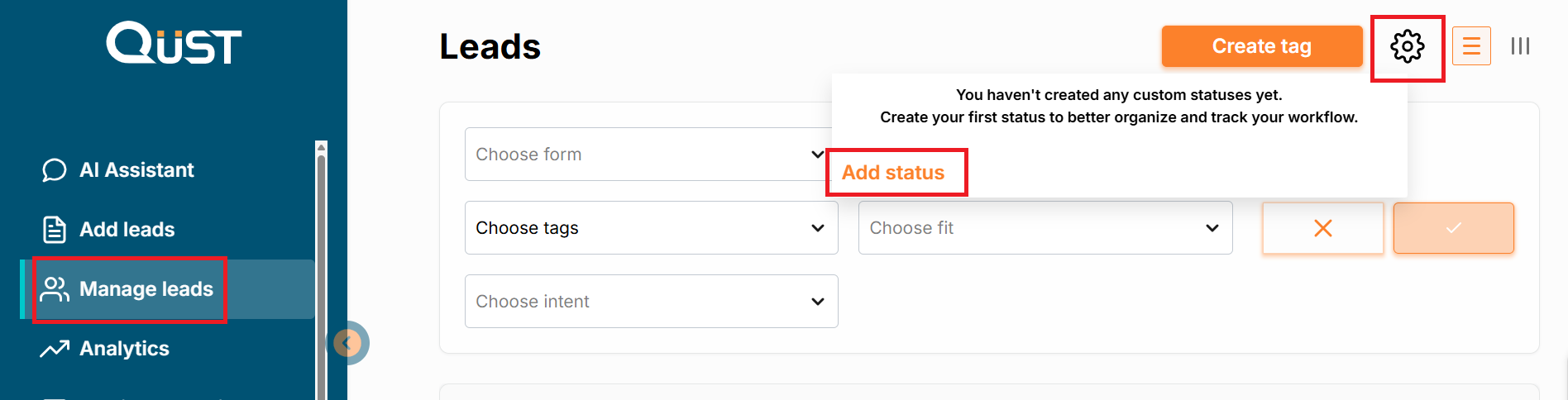
Go to the “Manage Leads” menu and find the gear icon in the top-right corner. Click it and select “Add status”. Enter a name for the new status and assign a color. Click the checkmark icon to the right of the status name to save it. Now the new statuses will be available for selection in the settings of each lead.
To Reorder Lead Statuses, go to the gear icon again and use the status drag-and-drop tool to set the required order of your new statuses.
Was this page helpful?