Lead details page
Comments, tags, properties of a lead
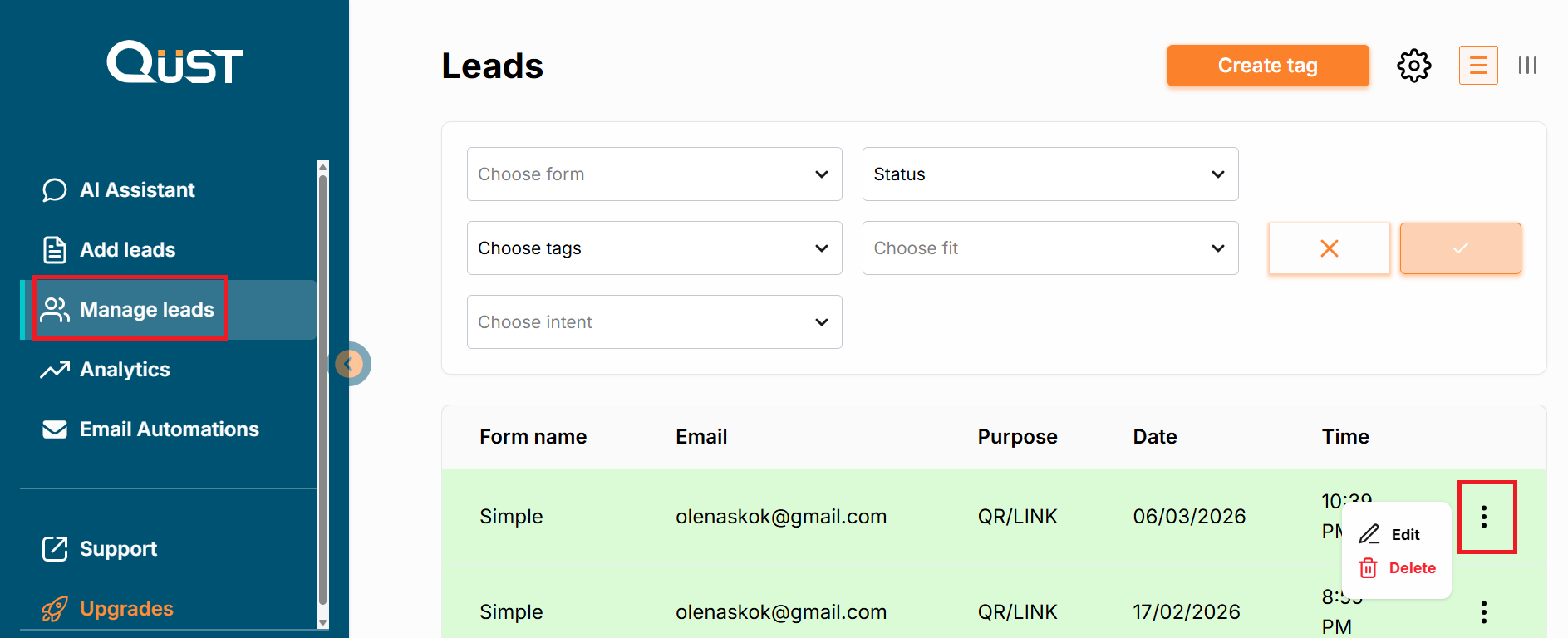
Each lead has its comments, tags, and properties. Click on the “Edit” option of the needed lead, and you will see the page with these settings.
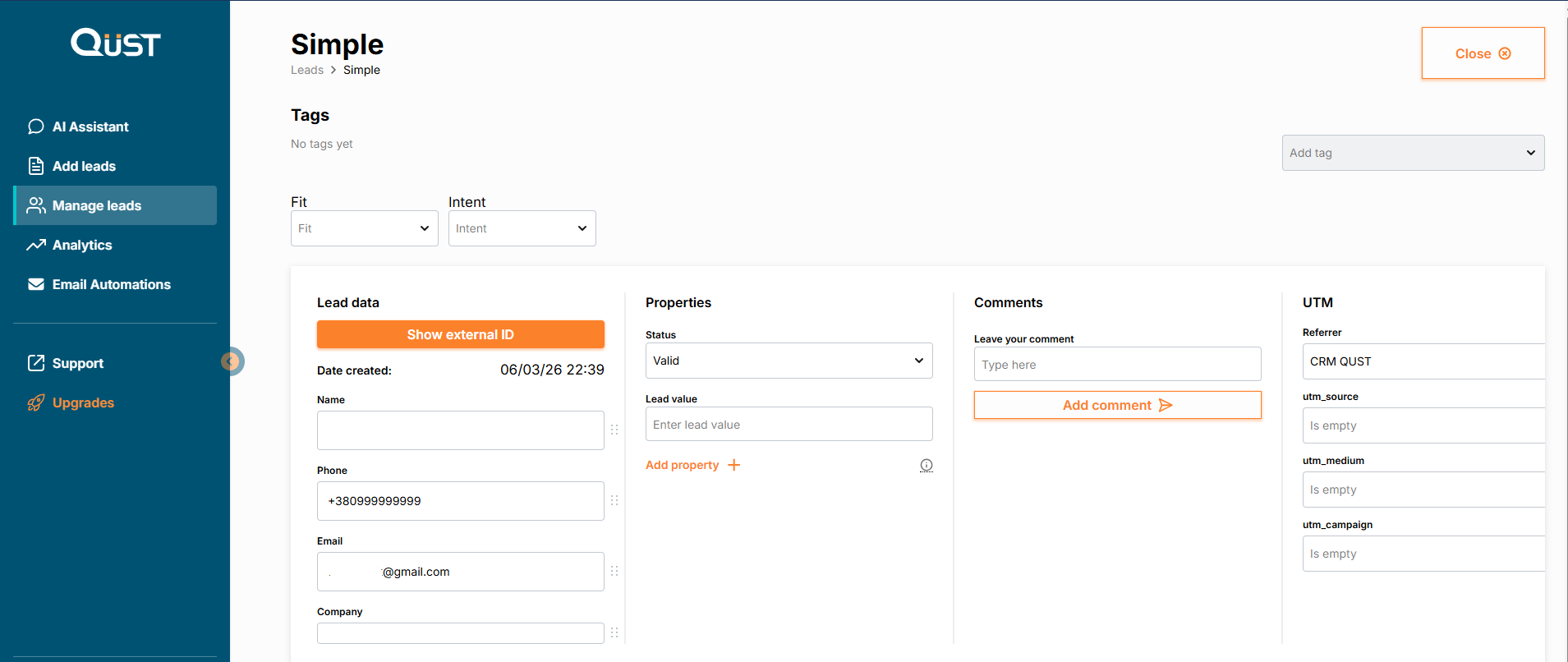
- In the “Lead data” column, you can see the lead’s creation date and contact details.
- In the “Properties” column, you can see a dropdown to select the lead status, a field to set the lead value, and an option to add a new lead property (text, number, or date).
- In the “Comments” column, you can leave your notes about the lead.
- In the “UTM” column, you can specify the referrer and UTM source data.
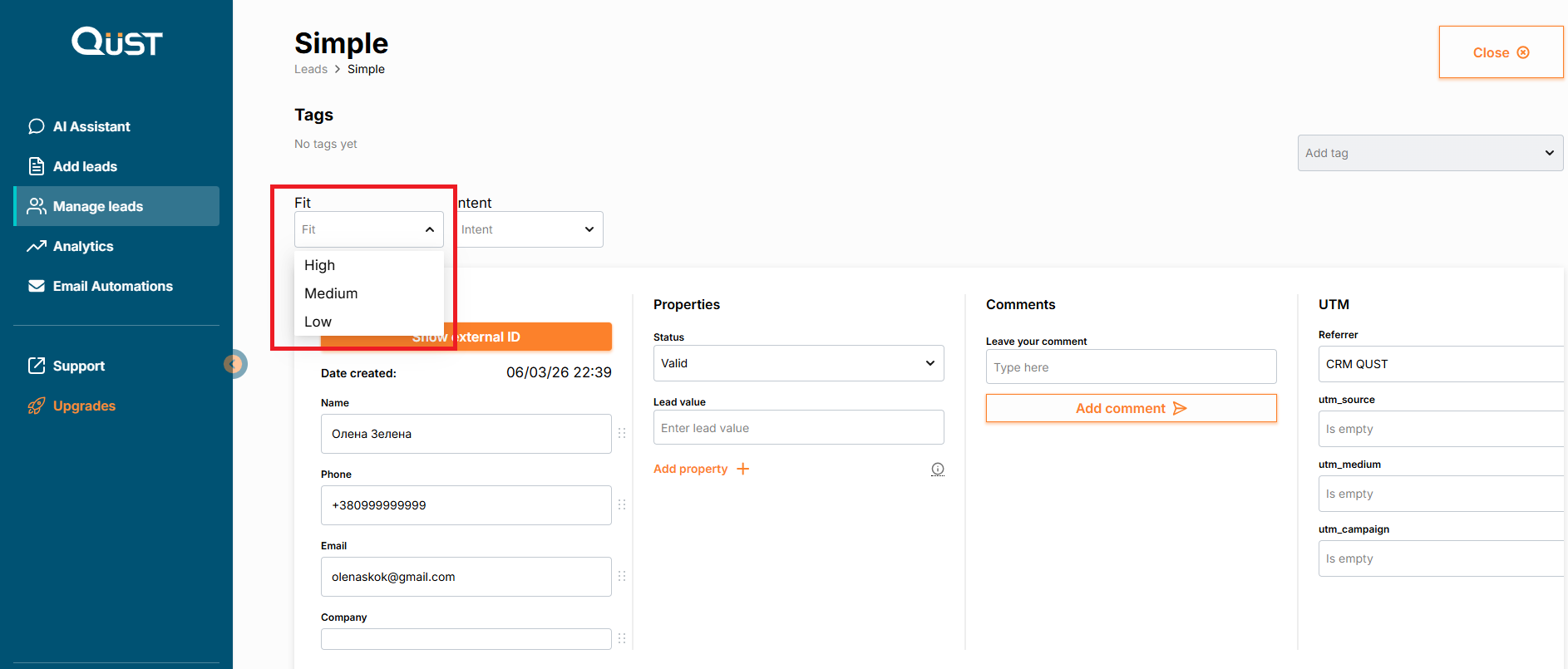
- In the "Fit" menu, you can determine how well this lead matches you.
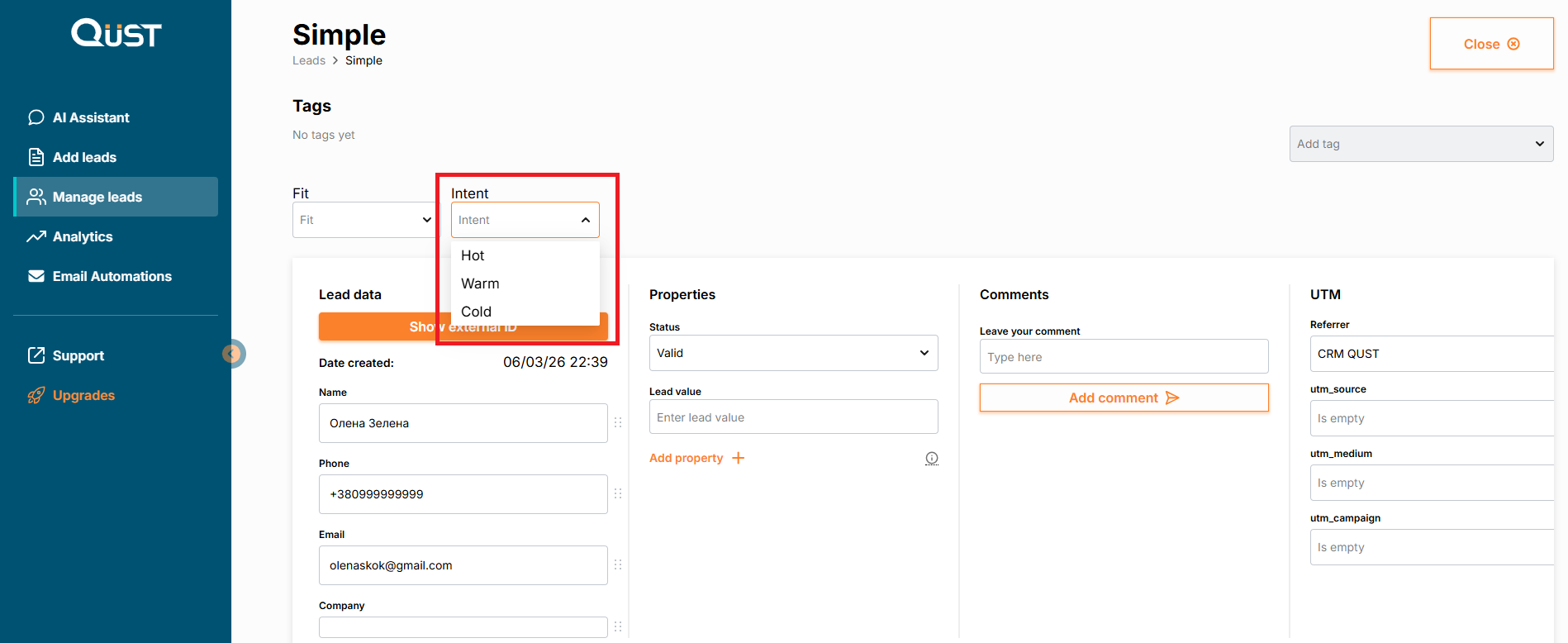
- In the “Intent” menu, enter information about how “warm” the lead is.
Was this page helpful?