Sharing a form
You can share a form via link or embedding a form using iframe
The link and QR code are displayed immediately after the form is created.
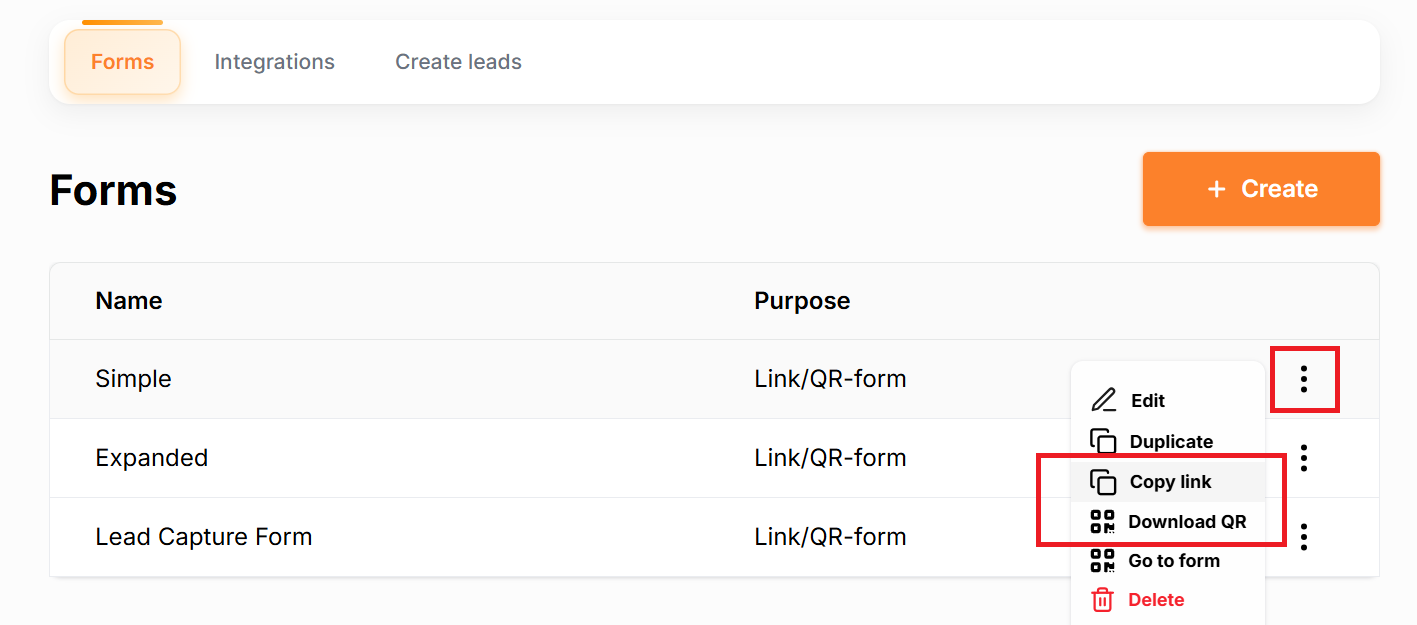
You can also access them in the “Forms” section.
Find the required form in the table and click the three dots on the right side of its row. In the menu that appears, select the option to view or copy the link or QR code.
Copy the link or QR code and use it wherever needed.
Embedding a form using iframe
Important: when creating a form, select the Embed via iFrame form purpose.
Go to the list of all forms, find the form you need, and click the three dots to the right of the form. Select “Embed code” and copy the code.
Was this page helpful?